"Your booking will be cancelled": the hotel cancellation scam
Imagine it's 11 PM, two days before your trip. A WhatsApp message from "Harborview Suites Reservations" says your reservation will be cancelled within 24 hours unless you confirm your card. It has your name and your dates. Your stomach drops, because you can't rebook at this price.
This page shows you exactly how that message is built, with three real examples, so you can tell in under a minute whether your booking is really at risk. Spoiler: you check it in one place, and it isn't the message.

Why careful people still fall for it
Losing a booking feels expensive and urgent at the same time, and that pairing switches off careful thinking. The scammer adds real details, often copied from a hotel account they broke into, so the message passes the "does it look fake?" test.
Then comes the clock: 24 hours, 12 hours, midnight. A deadline gives you a reason to act inside the message instead of opening your booking app, which is the one place the lie falls apart.
Three cancellation messages, taken apart
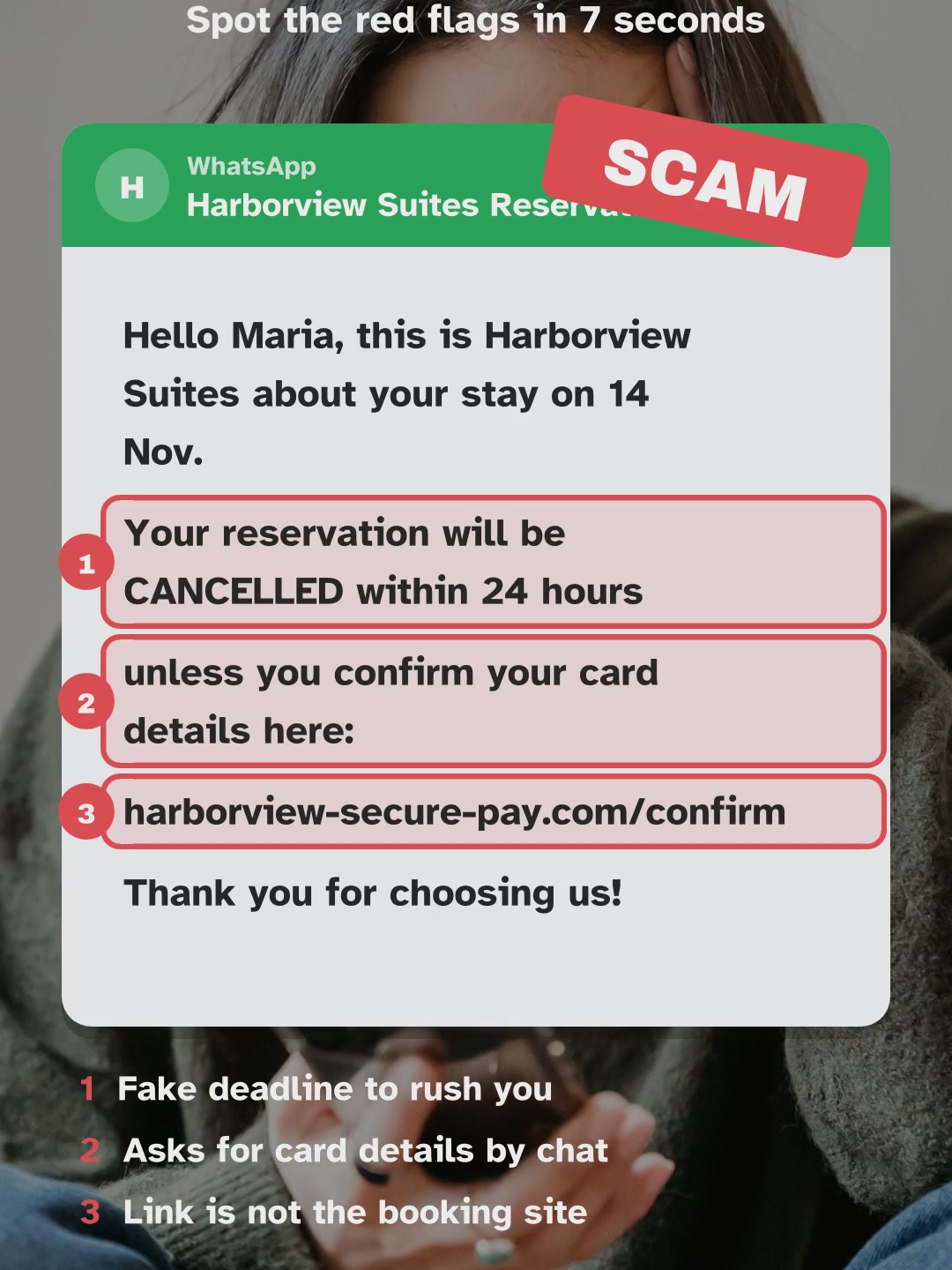
"Cancelled within 24 hours unless you confirm your card"
WhatsApp · Harborview Suites ReservationsHello Maria, this is Harborview Suites about your stay on 14 Nov.Your reservation will be CANCELLED within 24 hoursunless you confirm your card details here:harborview-secure-pay.com/confirmThank you for choosing us!
- Fake deadline to rush you
- Asks for card details by chat
- Link is not the booking site
Your booking site already has whatever card it needs. A hotel that genuinely couldn't charge you would ask you to update it inside the booking, not send a link to a site called harborview-secure-pay.com.
Do this: open the app you booked with. If the reservation shows as confirmed, ignore the message and report it there.
"We could not find your booking in our new system"
Email · Reservations Dept.Action needed: your booking was not foundWe could not find your booking in our new system.Reconfirm your stay and payment details within 12 hours:reservations-verify-guest.com
- No hotel name at all
- 12-hour deadline
- Unknown verify website
Notice what's missing: the hotel's name. A real hotel always says who it is. "Reconfirm your stay and payment details" on an unknown website is a request for your card, dressed up as admin.
Do this: never reconfirm through a link. Your confirmation email or app already proves the booking.
"Your hotel is overbooked, pay the difference here"
SMS · +1 (346) 555-0142Your hotel in Miami is overbooked.We moved you to a better hotel nearby. Pay the difference of $96 here:miami-room-transfer.com/pay
- Unknown number, no hotel name
- Asks you to pay again
- Strange payment link
Overbooking does happen, but when it does, the hotel or booking site moves you at its own cost and tells you through the booking. It never asks you to pay a "difference" on a separate website.
Do this: call the hotel on the number from its own website and ask whether your room is still there.
What happens if you go along with it
Say you tap the link and enter your card to "save" the booking. The page thanks you and nothing seems to happen. Within hours, small test charges appear, then a large one, often in another currency so it looks like a hotel deposit.
Meanwhile your real booking was never at risk. You arrive, the room is there, and the only thing that got cancelled was your card. Some people get a second message a day later saying the first payment "failed", to try for a second card.
Real message or fake? Side by side
| Fake | Real |
|---|---|
| Gives you hours or minutes to act | Refers to the cancellation terms you agreed to when you booked |
| Sends a link to a site you have never seen | Points you to the app or site you booked with |
| Asks you to "confirm" your card or payment details | Never asks for card details by message |
| Leaves out the hotel name, or uses a lookalike | Says clearly who is writing and matches your booking |
Take the scam-or-real quizCheck a message you got
If you already clicked or paid
- Entered card details: call the number on the back of your card now, block it and dispute any charge.
- Paid a "difference" or deposit: call your bank today and ask for a recall or chargeback.
- Not sure the booking still stands: open it in the booking app. Confirmed there means confirmed.
- Report the message inside the booking app so the account that sent it gets locked.
Questions people ask
Can a hotel cancel my booking by text message?
A real cancellation shows up in your booking, with the reason, in the app or site you used. A message that threatens cancellation unless you pay through a link is the scam itself.
The message had my name and booking number. Doesn't that make it real?
No. Those details can come from a hotel account that was broken into. Judge the message by what it asks you to do, not by what it knows.
My booking is non-refundable. Should I be more worried?
The terms are the same either way: they live in your booking. A non-refundable rate makes people panic faster, which is why scammers like it, but it doesn't change how you check.
What if I ignore it and the cancellation was real?
Then it will be in your booking app or your email from the booking site, and you can sort it out there. Checking costs you a minute; paying a scammer can't be undone.
Book where the price is on the page
Rates by Room shows the nightly rate read from the booking partner for 2359 hotels in 91 cities. You pay on the partner's own checkout, with the price in front of you, so there's no message to second-guess.
We earn a commission from the partner when a booking completes. It doesn't change your price.